
Sale-Aware Discount Codes (BETA)
A discount code created in this app is a regular Shopify discount code — shoppers type it at checkout for a percentage off. The difference is that it skips products your sales have already reduced, so a discount never stacks on a sale price.
Step 1 — Create the discount code
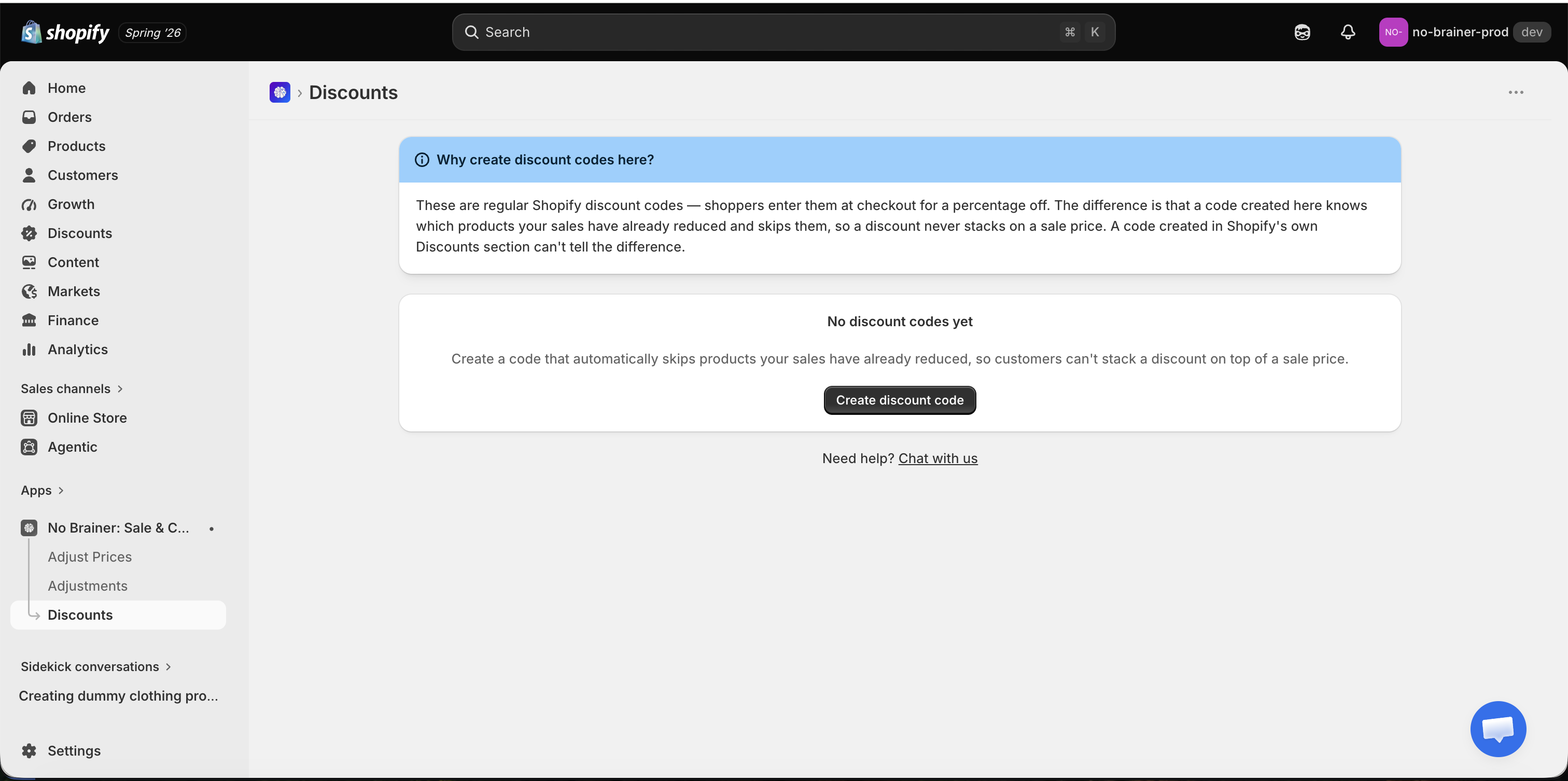
Section titled “Step 1 — Create the discount code”Go to Discounts → Create discount code.
Enter a code and a percentage, then click Create discount.
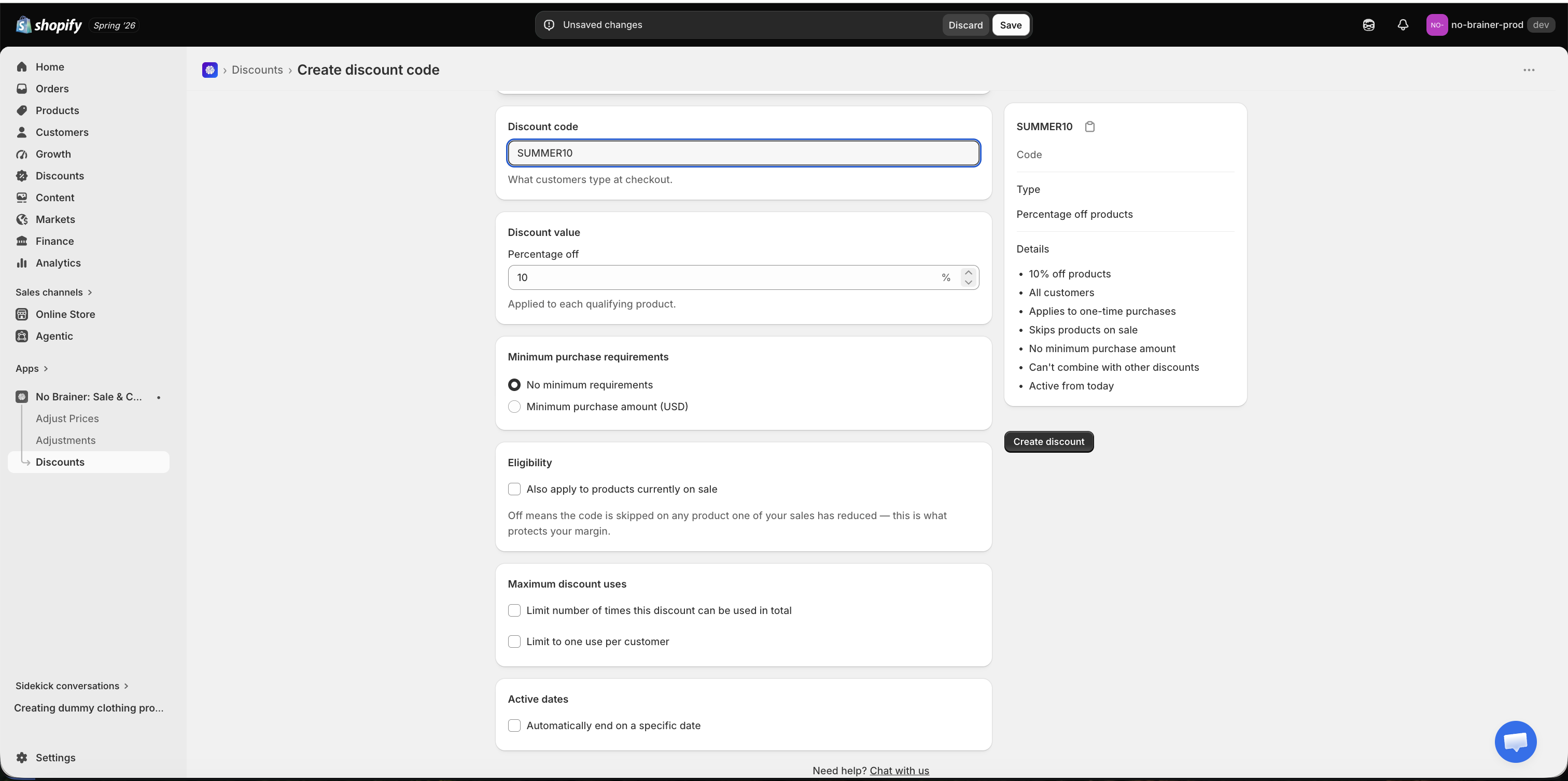
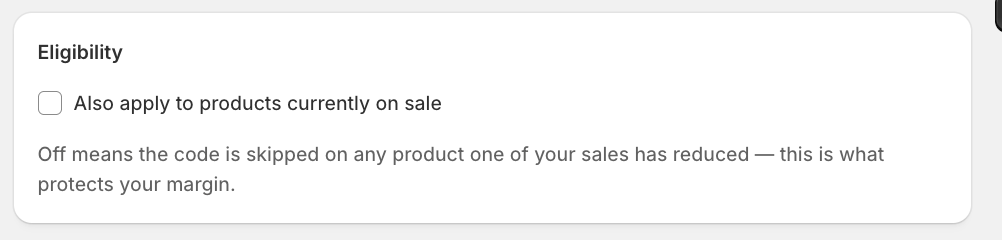
Under Eligibility, leave Also apply to products currently on sale switched off — that’s the setting that stops the code stacking on products you’ve already reduced.
Step 2 — Re-apply any running sales
Section titled “Step 2 — Re-apply any running sales”If a sale was already running when you created the code, the app shows a banner saying so.
Go to Adjustments, revert that sale, and apply it again — it’ll come back protected. If that’s disruptive, you can skip it and wait: your next sale will be protected either way.
Once your first code exists, ordering never matters again.
Step 3 — Check it’s working
Section titled “Step 3 — Check it’s working”Add an on-sale product and a full-price product to a test cart, then apply the code at checkout:
- The on-sale product is not discounted
- The full-price product is discounted
- In a mixed cart, only the full-price items get the discount
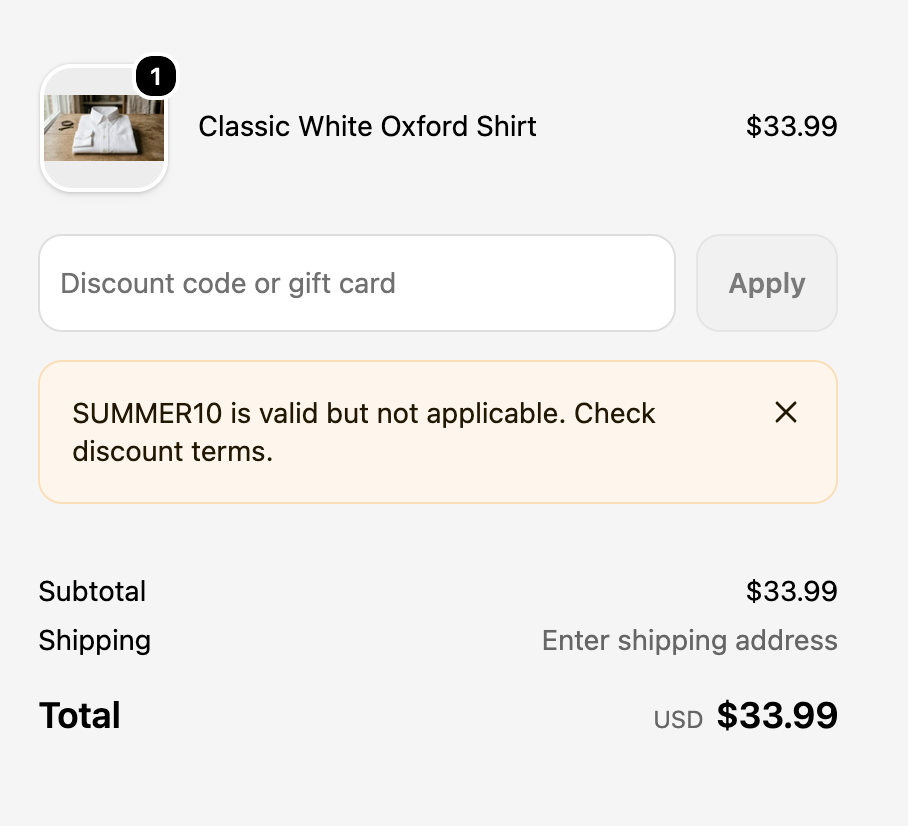
On a cart of only on-sale products, checkout says the code is valid but not applicable — that’s the code doing its job.
Worth knowing
Section titled “Worth knowing”- Manage the code from the app’s Discounts page, not Shopify’s.
- Existing Shopify discount codes aren’t covered — re-create them here.
- Compare-at-only adjustments aren’t treated as sales, so the code still applies to them.
- Percentage discounts only for now.
If the code ever applies to something on sale — or doesn’t apply to something at full price — send us the discount code, the product, and roughly when it happened.